In today’s digital landscape, cybersecurity is more crucial for your business than ever. By implementing strategies and measures to safeguard your computers and the critical data they store, you ensure your personal information remains safe from those with malicious intent. Just as you wouldn’t leave your wallet out in the open for thieves, you shouldn’t keep your computer’s personal information open to hackers. Whether you’re a remote worker or in the office, here’s what you need to know to keep your business and its sensitive information safe and sound.
Why Is Cybersecurity Important For Your Business?
As technology and computers continue to advance, so do the techniques of hackers and those with malicious intent. Unfortunately, running a business today makes you a target for numerous scams and cybersecurity threats. Canada, in particular, has experienced a significant increase in cyber attacks.
According to the Canadian Anti-Fraud (CAFC), over 40,000 cybercrimes were reported in the first half of 2025. These attacks ranged from malware and ransomware attacks to phishing scams and data breaches. In recent years, cybercrimes have impacted major businesses, such as the Toronto District School Board, which was hacked in 2023. cure in such a scary technological climate? Here is a list of 10 cybersecurity best practices for business owners to follow.
What Are Cybersecurity Best Practices For Your Business?
1. Keep Your Software Up To Date
Keeping your computer up to date may not seem like a huge step, but it is critical to keeping its contents safe. Please make sure that you always install software updates for your operating systems and their associated programs, as well as the latest security updates for your devices. Most computers nowadays operate automatically, so ensure that “Automatic Updates” are turned on to avoid missing them. It is also important to make sure you use browsers like Google Chrome or Firefox that receive frequent, automatic security updates. Last but not least, if you use browser plug-ins, such as Flash or Java, ensure they are frequently updated as well.
2. Avoid Phishing Scams And Other Types Of Fraud
Phishing scams are a constant threat, not just for your business, either. Hackers will employ various social engineering tactics to trick you into disclosing personal information. The type of information these cybercriminals generally seek includes login IDs, passwords, and banking or credit card details. These scams are most commonly executed through email. However, they can also be carried out via phone calls, text messages, or social networking sites. It is essential to be cautious of any email message or phone call that requests personal information, regardless of its official appearance.
3. Practice Good Password Management
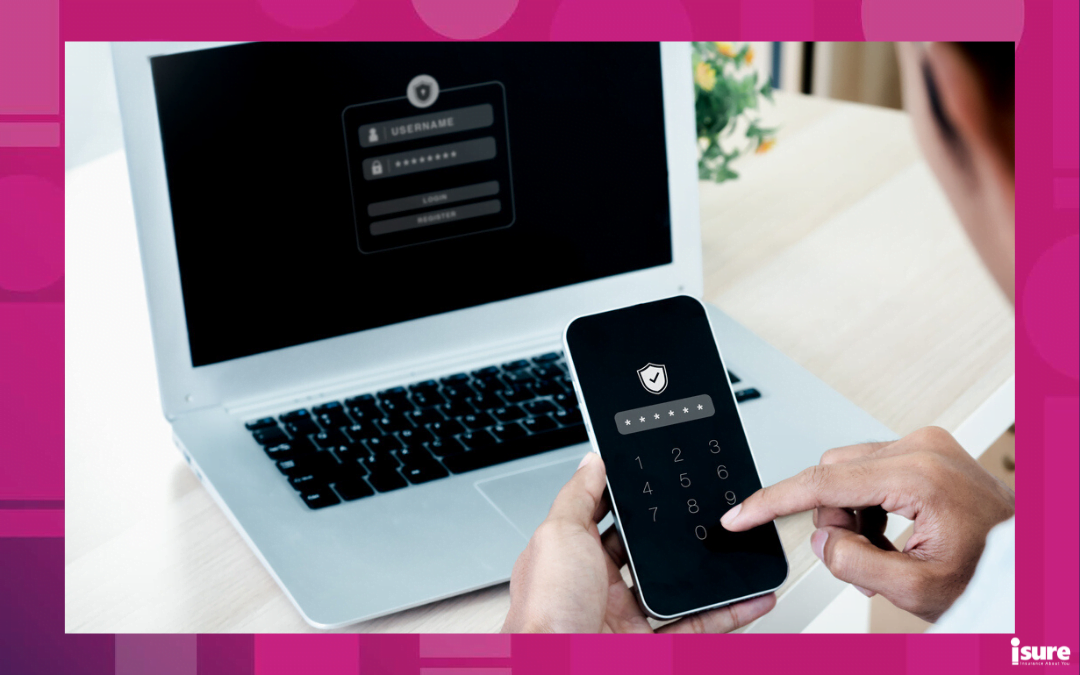
No matter who you are, chances are you have a few accounts that require a password to log in. It can be easy to take the lazy route and use the same password for everything. However, this is not the best cybersecurity practice. Whether it’s your banking information or a Netflix account, it is key to make sure you use different passwords across the board. If you need assistance keeping track of them all, a password manager program, such as LastPass, can securely manage them for you. Also, it’ll remind you to update your password regularly at the appropriate time.
4. Think Twice Before Clicking
This cybersecurity best practice can easily be forgotten about. Visiting unknown websites and downloading software from untrusted sources is never a good idea. More often than not, these sites will host malware that automatically and silently installs itself on your computer, compromising it. Please don’t click on links in emails from untrusted sources.
5. Safeguard Protected Data
When it comes to high-level protected data, it is essential to safeguard it at all costs. High-level protected data includes Social Insurance Numbers (SINs), credit card information, and health information. This information must be kept off of your work computers, laptops, and mobile devices, both business and personal. That is, unless it is safely and adequately protected. If you are in a situation where you need to store this information, ensure that you use strong encryption. When you are done with the information, make sure it is safely removed from your computer
6. Practice Cybersecurity On Your Mobile Phone
Our mobile devices have become a part of our everyday lives. Unfortunately, these devices are highly susceptible to attacks. To prevent cyber attacks and keep yourself safe, it is essential to treat your device as a computer and ensure that no suspicious files are opened on it. Additionally, ensure your device is always locked with a PIN or password. Additionally, it is essential to ensure that you only install apps from trusted sources, such as the Apple App Store or Google Play. Devices, like Find My iPhone and Android Device Manager, are also key tools to help you find your mobile device in the event it is lost or stolen.
7. Never Leave Your Device Unattended
The security of your devices goes beyond just technological aspects of protection. Keeping your devices physically secure is just as important. It is crucial to make sure devices, such as laptops, phones, and tablets, are never left unattended. If you need to step away from them briefly, make sure they are shut down or locked up properly. It is essential to ensure that protected data stored on external hard drives or flash drives remains secure and encrypted.
8. Regularly Back Up Your Data
Make sure your data is regularly backed up. In the event you are the victim of a security incident, the only guaranteed way to repair your system is to erase all its contents and then reinstall it.
9. Keep Up To Date On Your Cybersecurity/Anti-virus Protection
Using a computer without antivirus protection is like driving a car that doesn’t lock its doors. Please make sure your anti-virus software is downloaded from a reputable and trusted source. Additionally, it is crucial to ensure that it remains up-to-date to ensure it is being used effectively and performing its intended function.
10. Use a VPN
A VPN, or Virtual Private Network, is a program that allows you to hide and mask your IP address from potential hackers and cyberattacks. This is achieved by routing your connection through a remote server, thereby masking your IP address and concealing your location. Virtual Private Networks (VPNs) are beneficial for protecting yourself from ISP tracking, third-party advertisers, and cybercriminals. This is an excellent tool for remote workers!
Developing a Cybersecurity Incident Response Plan
According to the Cyber Centre, a cyber incident is an unauthorized attempt to gain access to, destroy, or delete any computer network or system resource. From phishing and ransomware to Distributed Denial-of-Service (DDOS) attacks, it comes in many forms. If the unfortunate occurs and one of these scenarios happens to you, you will need a cybersecurity incident response plan in place.
An incident response plan ensures that your organization is equipped to detect, respond to, and recover from various types of cyber incidents. Regardless of the situation, you will want to recover as quickly as possible. With a plan in motion, you can proceed without interrupting services and continue business as usual.
A proper incident response plan should include the following:
- Specific roles and responsibilities of each team member.
- Specific steps to take regarding reporting an incident.
- Specific instructions on how to handle each specific incident.
Cybersecurity Best Practices: Cyber Insurance
Did you know that insurance is available to protect you from cyber incidents? This is known as Cyber Liability Insurance. This insurance is crucial when it comes to organizing and running a business, especially if you regularly use technology and the internet to do so. However, regardless of the size of your business, every type presents an opportunity for a cybercriminal to target you.
Cyber Liability Insurance will protect you and your business from internet-based risks. It is of the utmost importance when it comes to practicing safe cybersecurity habits. This will help you if you lose business due to a cyber incident. It will also cover losses from network security breaches, as well as theft of intellectual property.
Cybersecurity Best Practices: Final Thoughts
Ultimately, staying safe and secure online is no easy task. With this being said, staying up to date with cybersecurity best practices will help you maintain peace of mind and keep you and your business safe and secure. If you have any questions about cyber liability insurance, please feel free to contact us today at isure or request a quote.
Online Risks Are Growing. Keep Your Business Data Safe.
Shield your operations today — get your free cyber insurance quote!


With cyber extortion affecting multiple Canadian businesses, now is a Read more
The contents of your home are precious. You wouldn’t dream Read more

Today, Canadian businesses of all sizes must continue to be Read more